
Installation Guide
Thank you for choosing Singeee Sign. To ensure a smooth installation and the best visual effect, please read this guide carefully before starting.
1. Package Contents
- LED Numbers: Each with a 6.5ft (2m) extension wire.
- 1:1 Mounting Template: For precise alignment.
- Hardware: Threaded studs (Metal & Plastic), Spacers (for floating effect), Wire connectors.
2. Tools Needed
- Positioning: Marker, masking tape, level.
- Drilling: Drill with 5mm bit (for studs) and 10mm bit (for cables).
- Wiring: Wire strippers/cutters.
- Optional: Silicone sealant, rubber mallet, wood block.
3. Installation Steps
Step 1: Layout & Drilling
- Clean: Ensure the mounting surface is clean.
-
Align: Tape the 1:1 Template to the wall and use a Level to ensure it's straight.
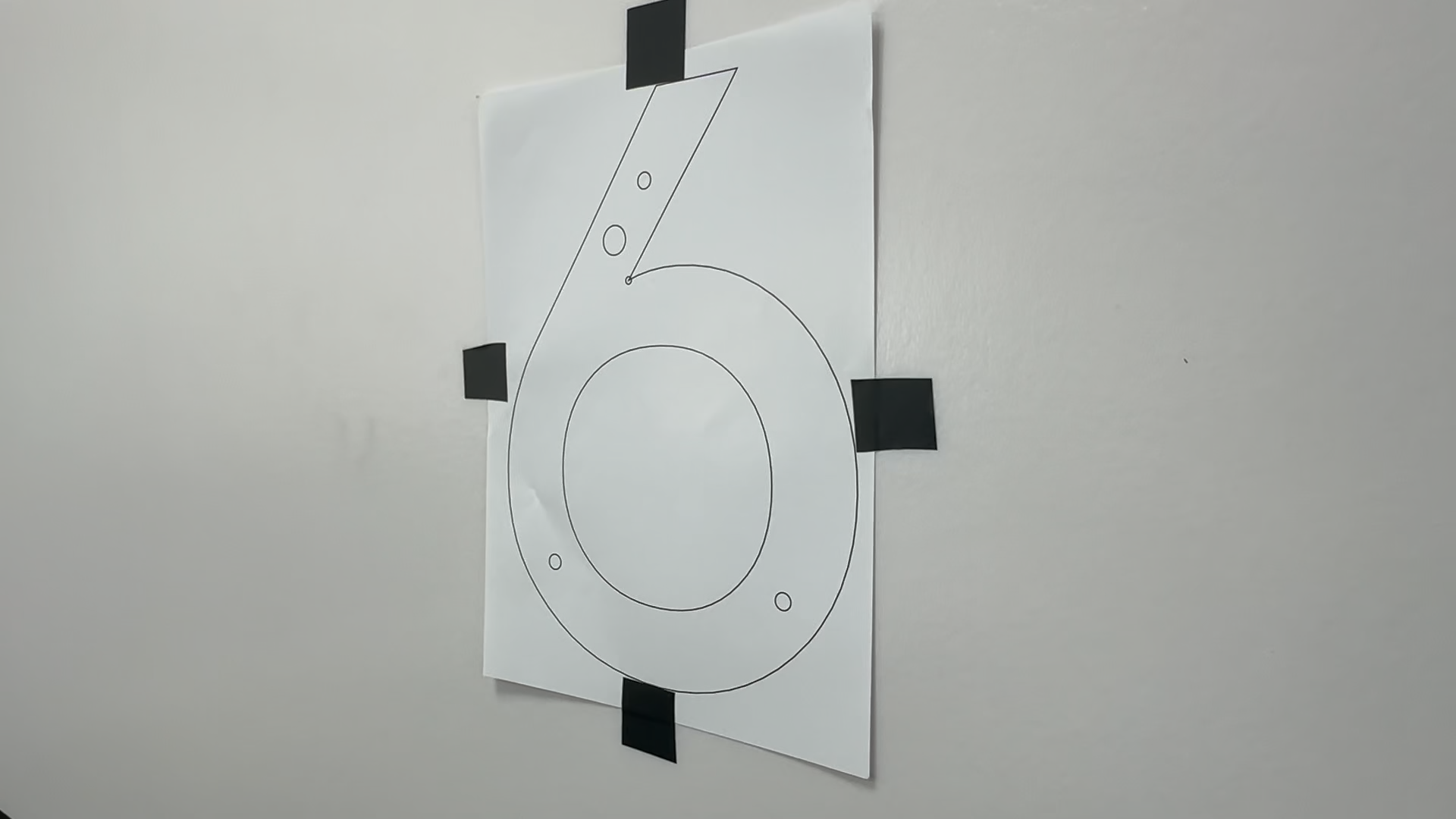
- Mark: Mark the spots for the studs and the cable exit through the template.
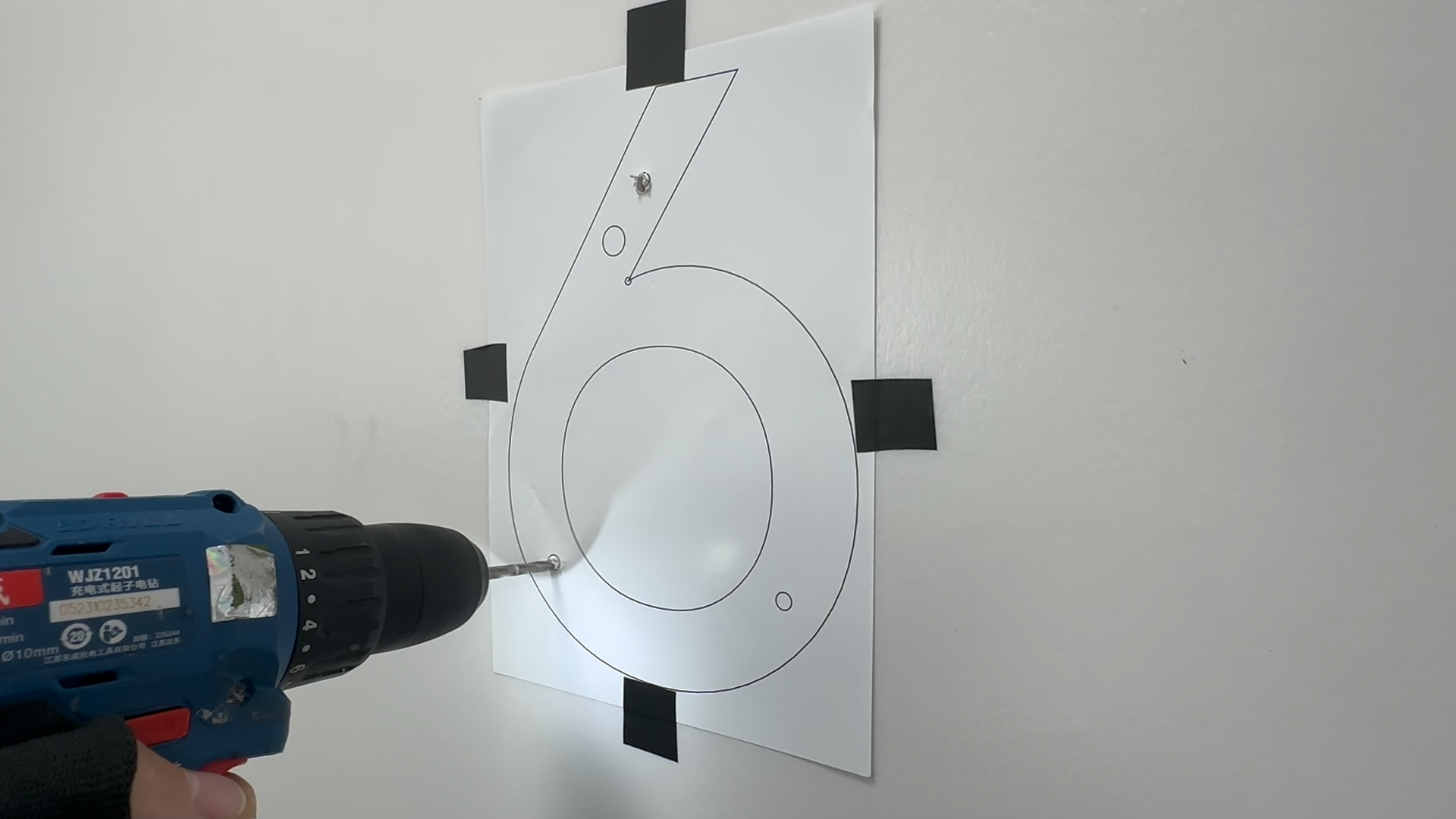
- Drill: Drill 5mm holes for studs and a 10mm hole for cables.
Step 2: Assembly & Mounting
-
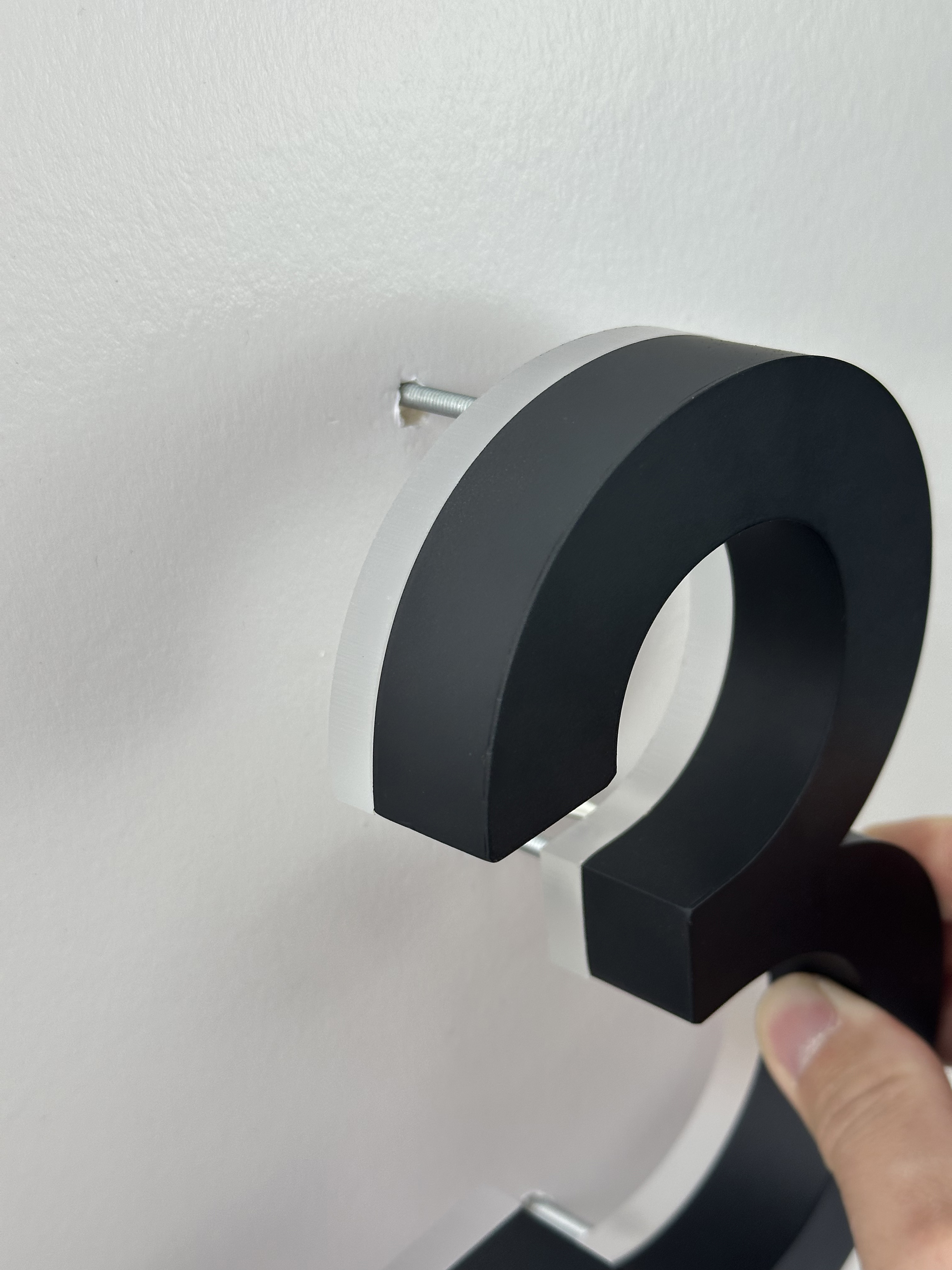
Studs: Screw the threaded studs into the back of each number.
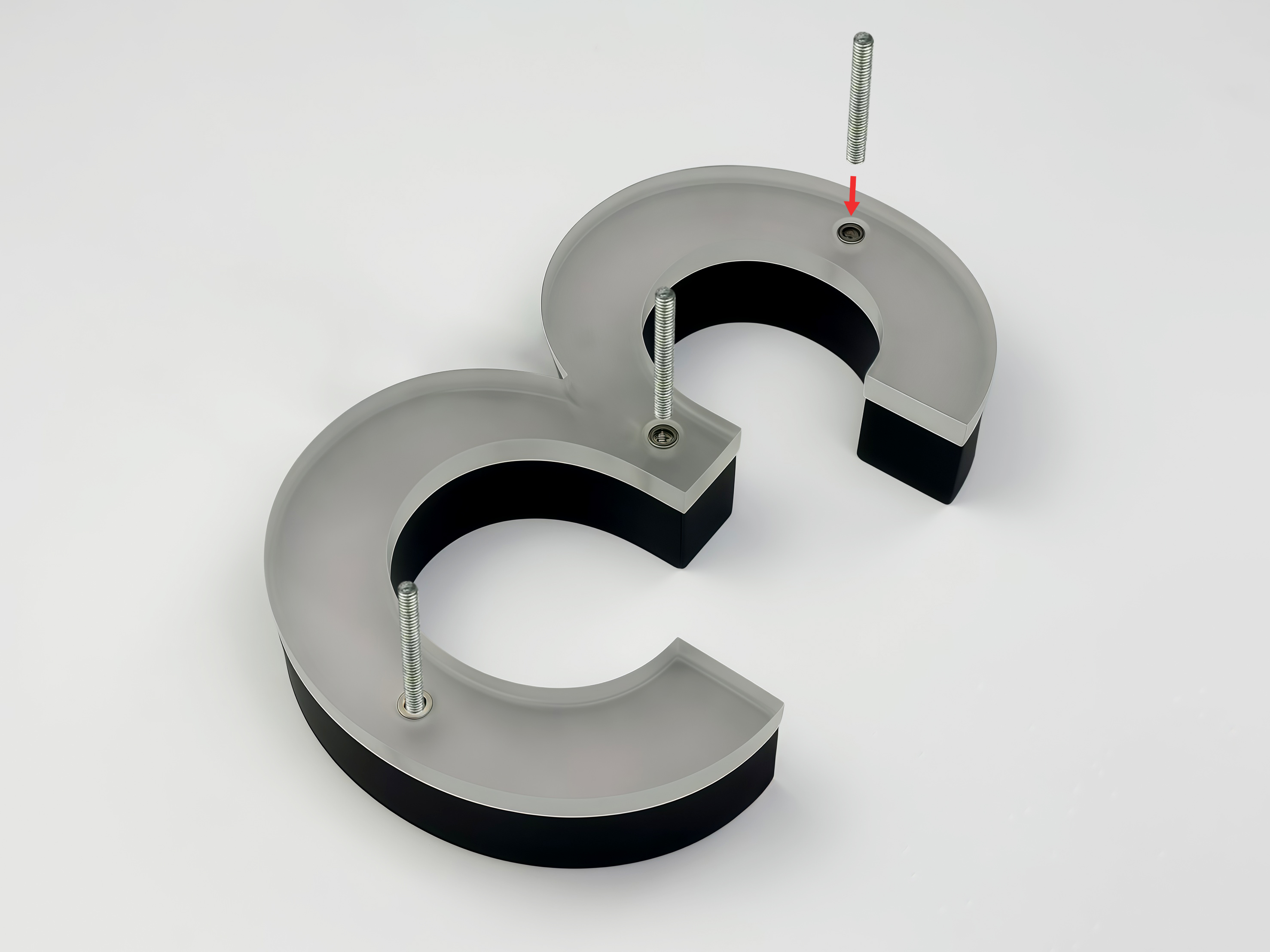
- Spacers: Slide the spacers onto the studs to create the "Floating" backlit effect.
If you choose all-in-one solar house numbers, there is no further wiring required, and your installation is simply complete. The following section provides wiring instructions for traditional backlit illuminat
----------------------------------------------------------------------------------------------------
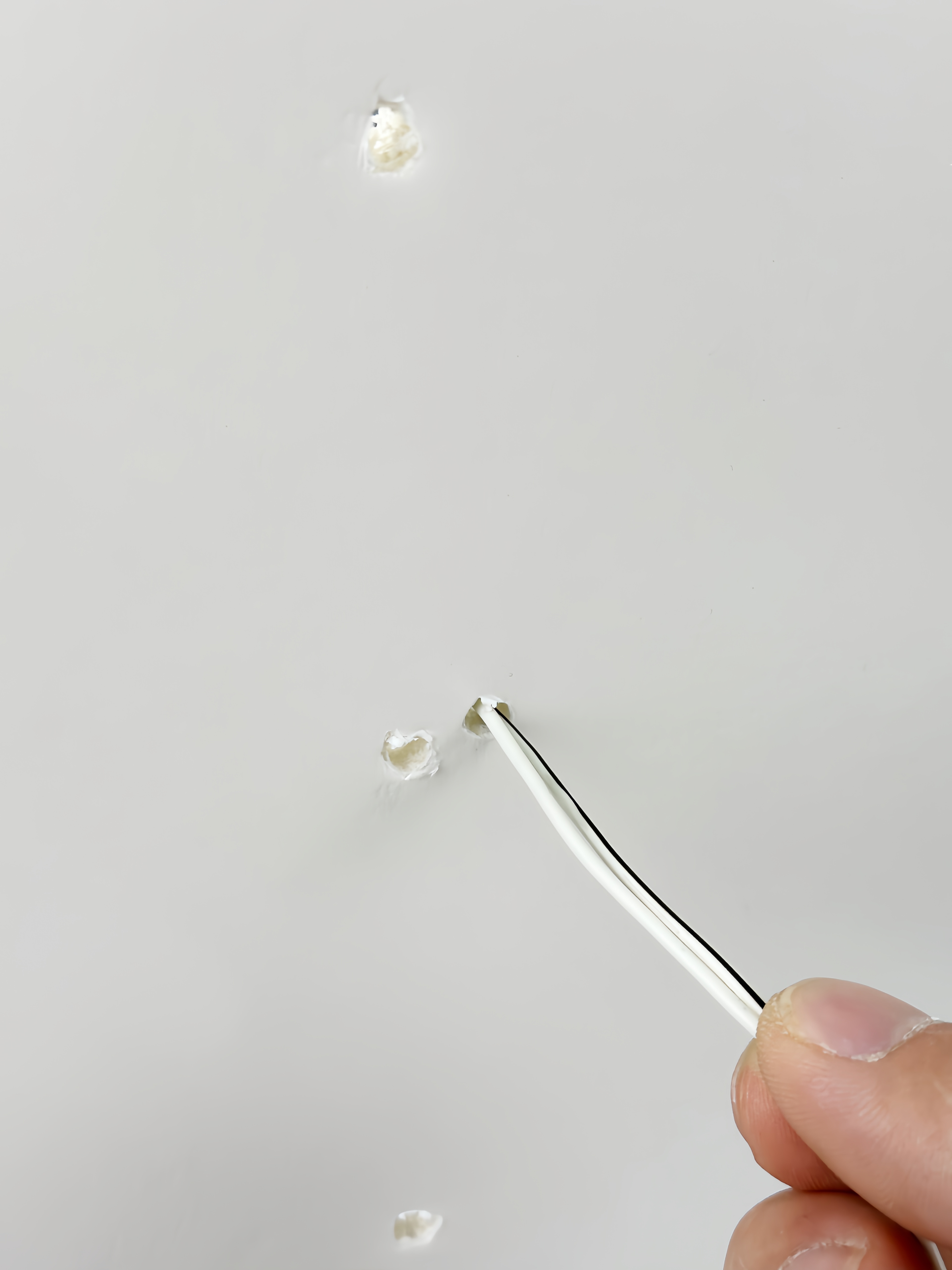
- Insert: Feed the wires through the 10mm hole. Apply silicone sealant into the 5mm holes and push the studs in firmly.
Step 3: Wiring (Key Step)
- For Solar Panel
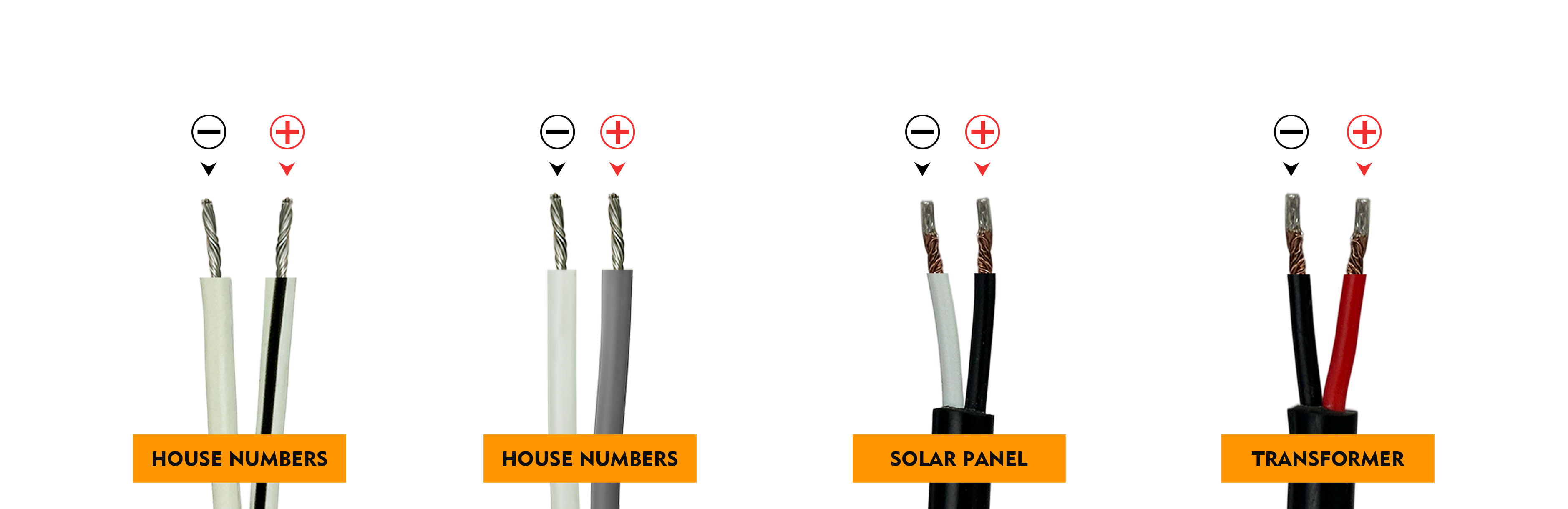
- Identify: White wire with black stripe is Positive (+), plain white wire is Negative (-).
- Connect: Match all Positives to the solar Red wire (+), and all Negatives to the Black wire (-).
- For Transformer
- Jack Connector: Use the provided Female Jack. Connect House Number Positive (Black stripe) to Jack Red (+), and Negative (Plain white) to Jack Black (-).
Step 4: Remote & Setup
- Use the remote to Power On/Off, adjust Brightness, or set a Timer.
4. Maintenance & Safety
- Troubleshooting: If the lights don't turn on, double-check polarity (+/-) or ensure the solar panel has 5-6 hours of direct sunlight.
- Cleaning: Use a soft, damp cloth. Avoid abrasive cleaners.
- Safety First: If unsure about electrical connections, please hire a qualified electrician.
If you have any questions or need further clarification, please contact our customer service team via email service@singeee.com. We will respond within 24 hours and provide assistance.